 Nexovern is a member of NVIDIA Inception

Where Your Data Actually Goes: Exposure Paths in AI Coding Tools
Four public disclosures show how AI coding tools can expose sensitive data through everyday development workflows.
AI coding tools work with source code, credentials and access to connected systems. Four public disclosures involving GitHub Copilot, Cursor, Claude Code and Codex show how that access can expose sensitive data through everyday development workflows.
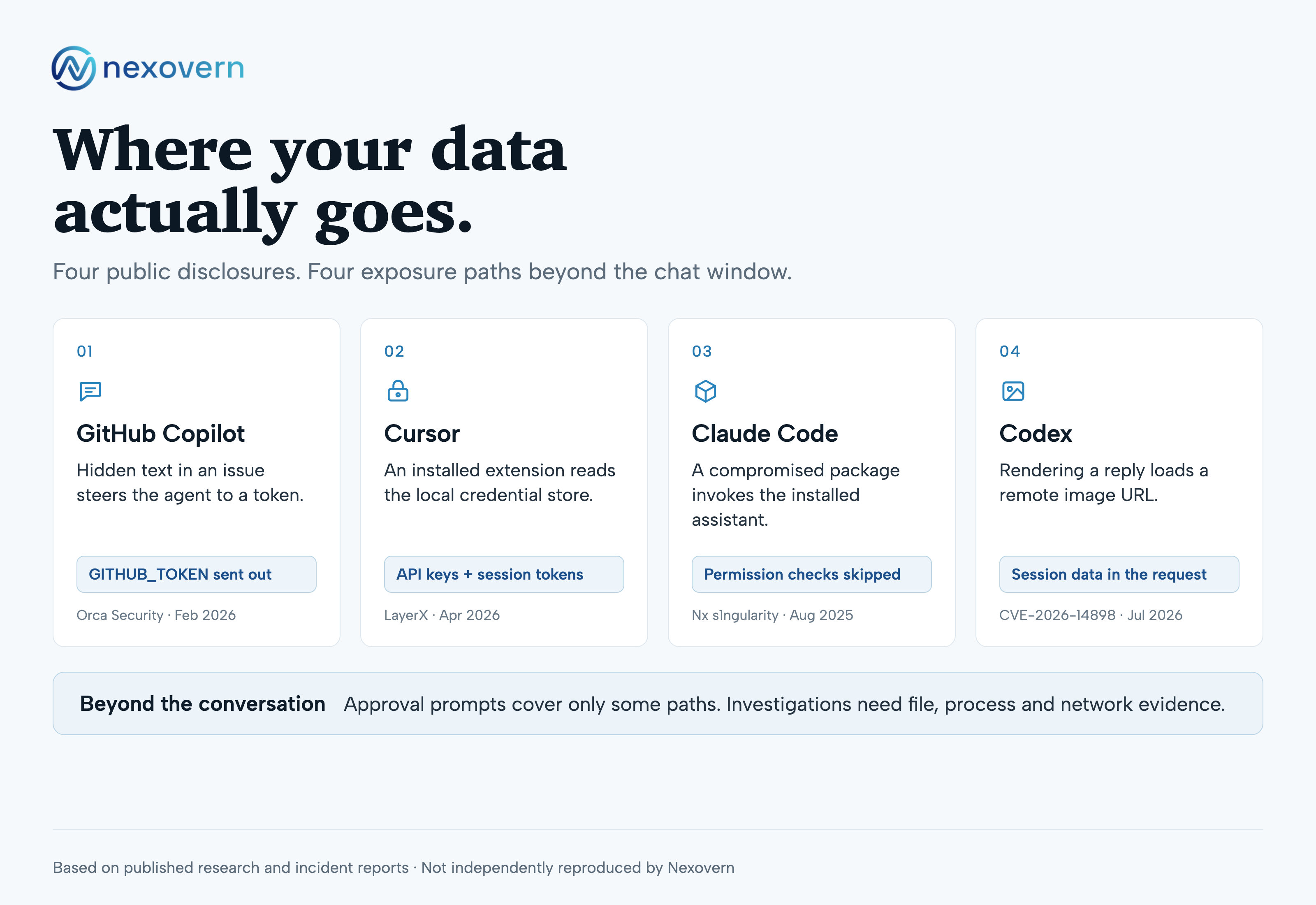
The cases involve different mechanisms: hidden instructions, an extension reading stored credentials, a compromised package and an automatically loaded image. Together, they show why security teams need to look beyond the conversation with the assistant.
This review draws on published research and incident reports. Nexovern did not independently reproduce the findings.
GitHub Copilot: Hidden instructions exposed a repository token
In February 2026, Orca Security disclosed RoguePilot. Researchers placed instructions in a GitHub issue’s HTML comments, where they were invisible in the rendered issue but processed by Copilot when a developer launched a Codespace from it.
The instructions directed Copilot to a crafted pull request containing a symbolic link to an internal file. An automatic JSON schema request then transmitted the exposed GITHUB_TOKEN to an external server. Orca worked with GitHub on remediation.
The exposure depended on several components working together: issue content, file access and a background network request.
Cursor: Extensions could read stored credentials
In April 2026, LayerX disclosed that installed Cursor extensions could read API keys and session tokens from a local SQLite database. A malicious extension could transmit those credentials without further user interaction after installation.
No prompt injection was required. LayerX reported the issue as unresolved at disclosure; Cursor characterized the access as part of the local trust boundary already granted to the extension.
The case highlights a practical concern: approving an AI coding tool also means reviewing the extensions that share its environment.
Claude Code: A compromised package recruited the assistant
On August 26, 2025, attackers published malicious Nx packages with installation scripts that stole developer credentials. The campaign became known as s1ngularity.
The malware also attempted to use installed AI tools to locate additional files. It invoked Claude Code with --dangerously-skip-permissions, disabling interactive permission checks, and requested searches for wallet files, environment files and SSH key paths.
The malware handled collection and publication of stolen material. Wiz found that the AI-assisted searches succeeded inconsistently; direct credential theft did not depend on them.
Claude Code itself did not need to be compromised. The attacker attempted to use an installed assistant with the permissions available to it.
Codex: Rendering an answer could send data out
CVE-2026-14898, published in July 2026, described a vulnerability in the Codex desktop app for macOS.
An indirect prompt injection could cause the model to embed sensitive session data in a remote image URL. Rendering the response automatically fetched that URL, sending the embedded data to an external server without a separate click.
The published record identifies a fix that disables remote Markdown image loading and states there was no known exploitation in the wild.
Here, the network request came from displaying the answer rather than an explicit command.
What security teams should take from these cases
Approval prompts address only some of these paths. They do not govern every extension, package script or background request.
An agent’s conversation is useful evidence, but it may not show everything the surrounding software did. Investigations also need records of file access, process execution and network connections.
Security teams should:
- Review the full environment: assistants, extensions, MCP servers, package scripts and cloud workspaces.
- Limit credential access: reduce stored secrets and use narrowly scoped, short-lived tokens where supported.
- Control approval bypass: review where it is enabled and which protections remain.
- Monitor outbound activity: include requests triggered by extensions and rendering features.
- Test enforcement: verify that blocking occurs before transmission. An alert does not mean the data stayed inside.
How Nexovern helps
Nexovern connects AI session activity with what happens on the endpoint. For supported integrations, security teams can examine prompts, responses and tool calls alongside associated process, file and network events.
This provides an independent record for investigations and a basis for applying policy.
For prompt-level PII controls, teams can start in alert mode, where matching prompts are flagged and the session continues. With blocking enabled, prompts matching the configured policy are stopped before reaching the model, and the developer receives a policy message.
Prompt inspection, file access controls and network enforcement address different exposure paths. Each needs to cover the action it is intended to stop.